
Step 4 - Nginx Proxy Manager
Nginx Proxy Manager (NPM) provides a simple web interface for handling SSL certificates and reverse proxying.
Creating the Proxy Host
Section titled “Creating the Proxy Host”- Open your NPM dashboard and navigate to Proxy Hosts.
- Click Add Proxy Host.
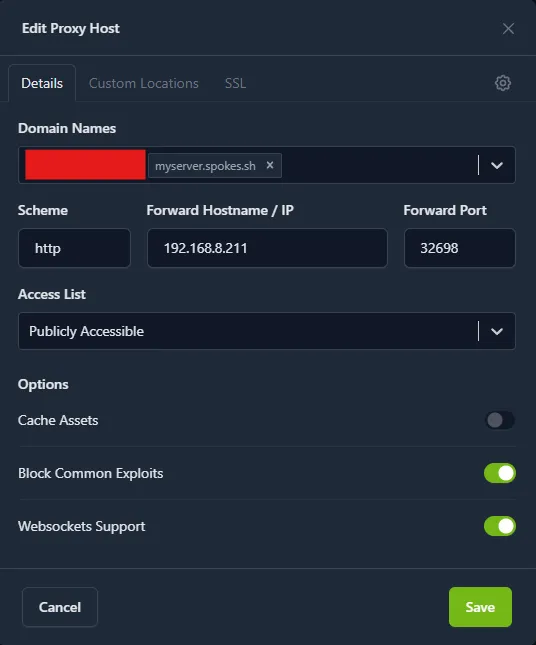
- Details Tab:
- Domain Names:
spokes.yourdomain.com - Scheme:
http - Forward Hostname / IP: The internal IP address of your Spokes server (e.g.,
192.168.1.50). - Forward Port:
8080(or the Web UI port you decided on in Step 1). - Block Common Exploits: Enable
- Websockets Support: Enable (Crucial! Spokes relies heavily on WebSockets for real-time chat and LiveKit signaling).
- Domain Names:
- SSL Tab:
- Select Request a new SSL Certificate.
- Check Force SSL.
- Check HTTP/2 Support.
- Click Save.
Your Spokes instance is now securely accessible via HTTPS!