
Built-in Identity (Casdoor)
If you selected the Built-in Identity option during the setup wizard, your Spokes instance is bundled with a pre-configured, embedded Casdoor identity provider.
This provider handles all authentication for your Spokes server, but Casdoor itself is highly customizable and can be configured to act as an identity provider for other apps you self-host.
Configuring Casdoor (Creating New Users)
Section titled “Configuring Casdoor (Creating New Users)”By default, the only user created during the setup wizard is your administrator account. To invite friends or team members to your Spokes server, you will need to create user accounts for them in Casdoor.
1. Open the Casdoor Admin Interface
Section titled “1. Open the Casdoor Admin Interface”To manage users, open the Casdoor admin page. You can click on the Open Casdoor button in the top right of the Spokes web interface, or navigate directly to https://<yourserverurl.com>/login.
(It is easiest to access the Casdoor global admin interface from an incognito window to avoid conflicting sessions).
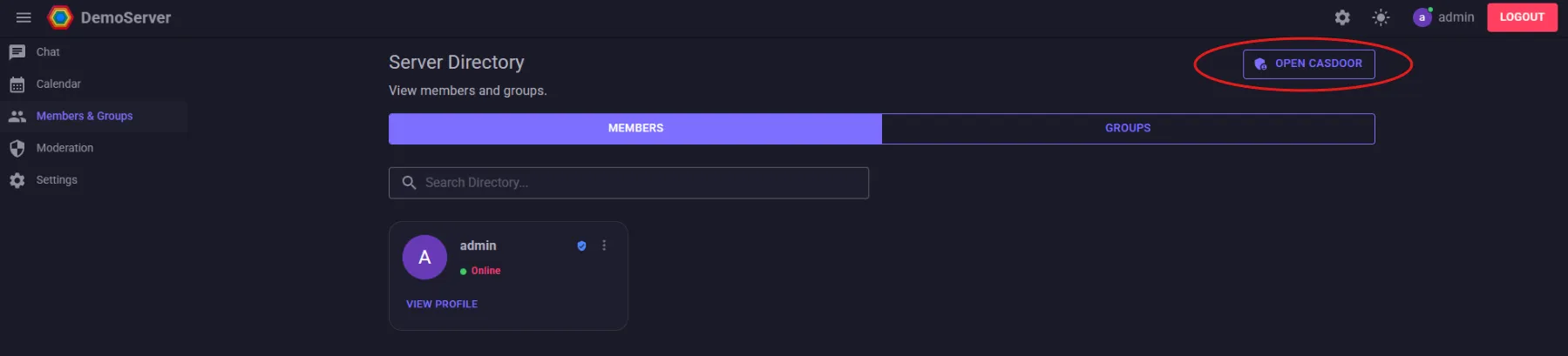
2. Navigate to Members & Groups
Section titled “2. Navigate to Members & Groups”Once inside the Casdoor dashboard, go to the Members & Groups page in the sidebar, and click on Users.
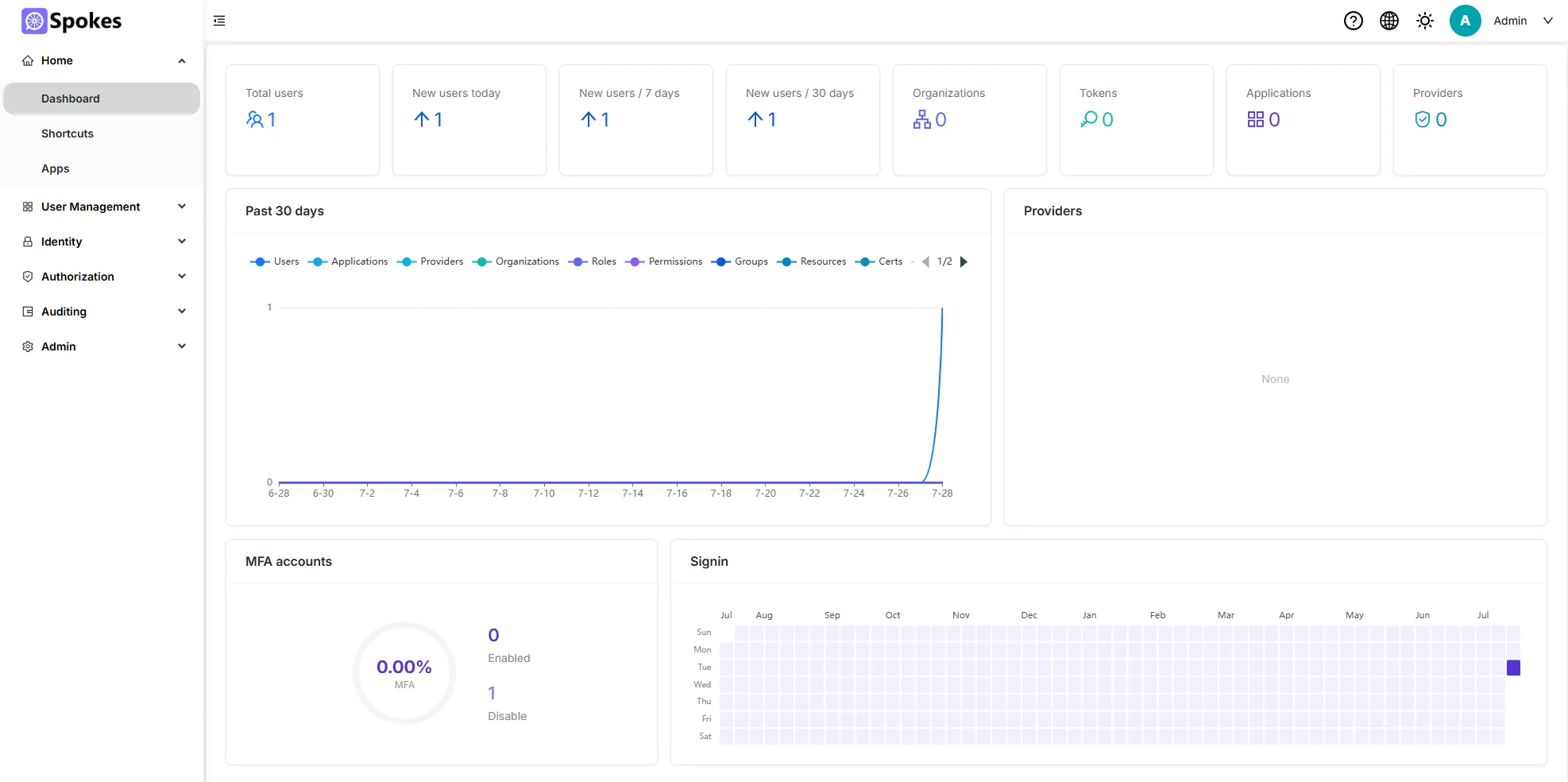
3. Add a New User
Section titled “3. Add a New User”On the Users page, you will see your administrator account. Click the Add button in the top right to create a new user.
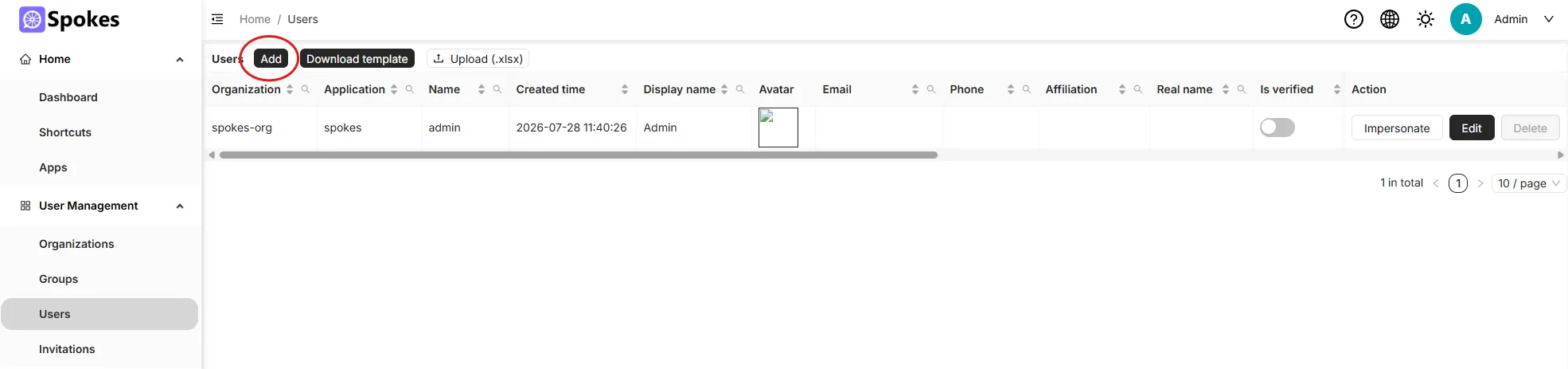
4. Configure User Details
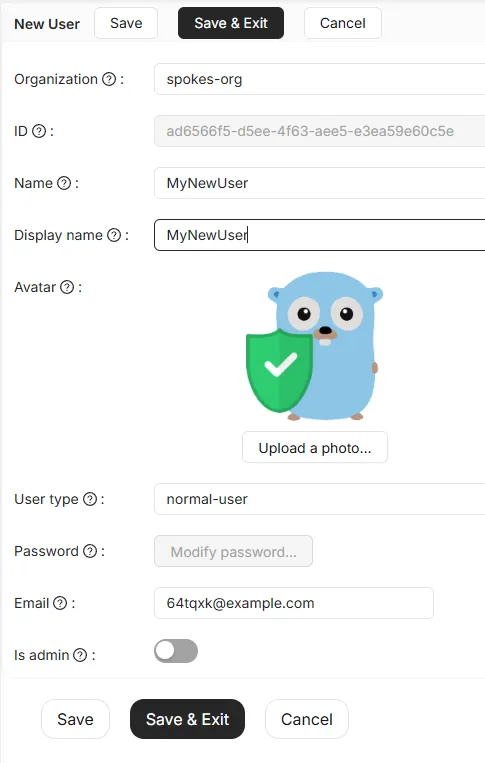
Section titled “4. Configure User Details”Set the user’s properties:
- Name: This is their unique login identifier (must be in lowercase without spaces).
- Display Name: Their visible name in Spokes.
- Password: Set a secure temporary password for the user. They can change it later.
(The user avatar inside Casdoor is not used in Spokes. Users can set their own avatars directly inside Spokes later. Emails are only required if you plan on using Casdoor’s advanced features like password resets.)
Click Save.
Your users can now log into your Spokes server using the credentials you just created!